 WA小译
WA小译
Core features
Every step, translated for you
From understanding every line your customer sends, to turning your Chinese into their native language, to calls where you speak Chinese and they hear their own — WA Xiaoyi builds translation right into your chats and calls, so you can focus on the deal.
Two-way auto translation
Fully automatic in both directions: customer messages show a Chinese translation right inside the bubble, and your Chinese replies go out in their language. No switching apps, no copy and paste, no breaks in the flow.
- Any incoming language shows original + Chinese in the bubble — no overlays, no pop-ups
- Type in Chinese, press Enter, and it's translated and sent in their language
- Set the target language per chat, so customers from different countries never get mixed up
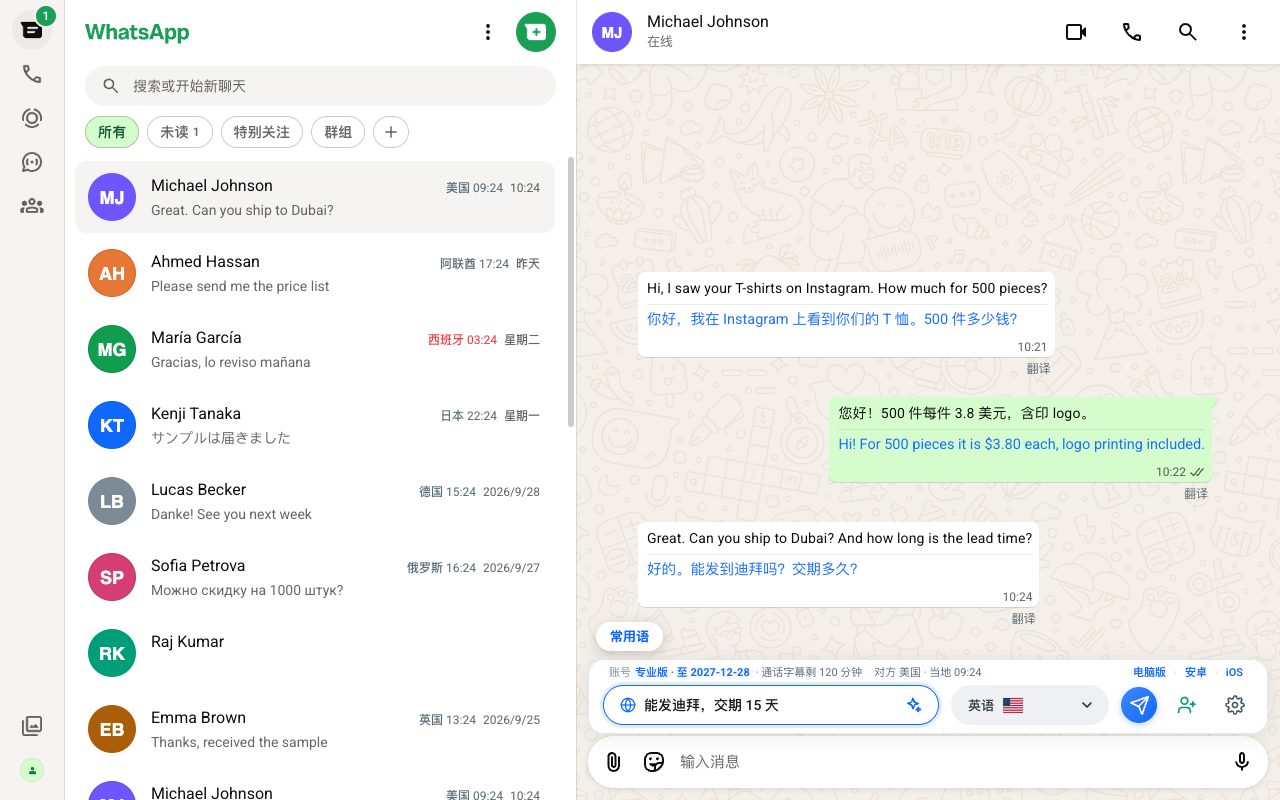
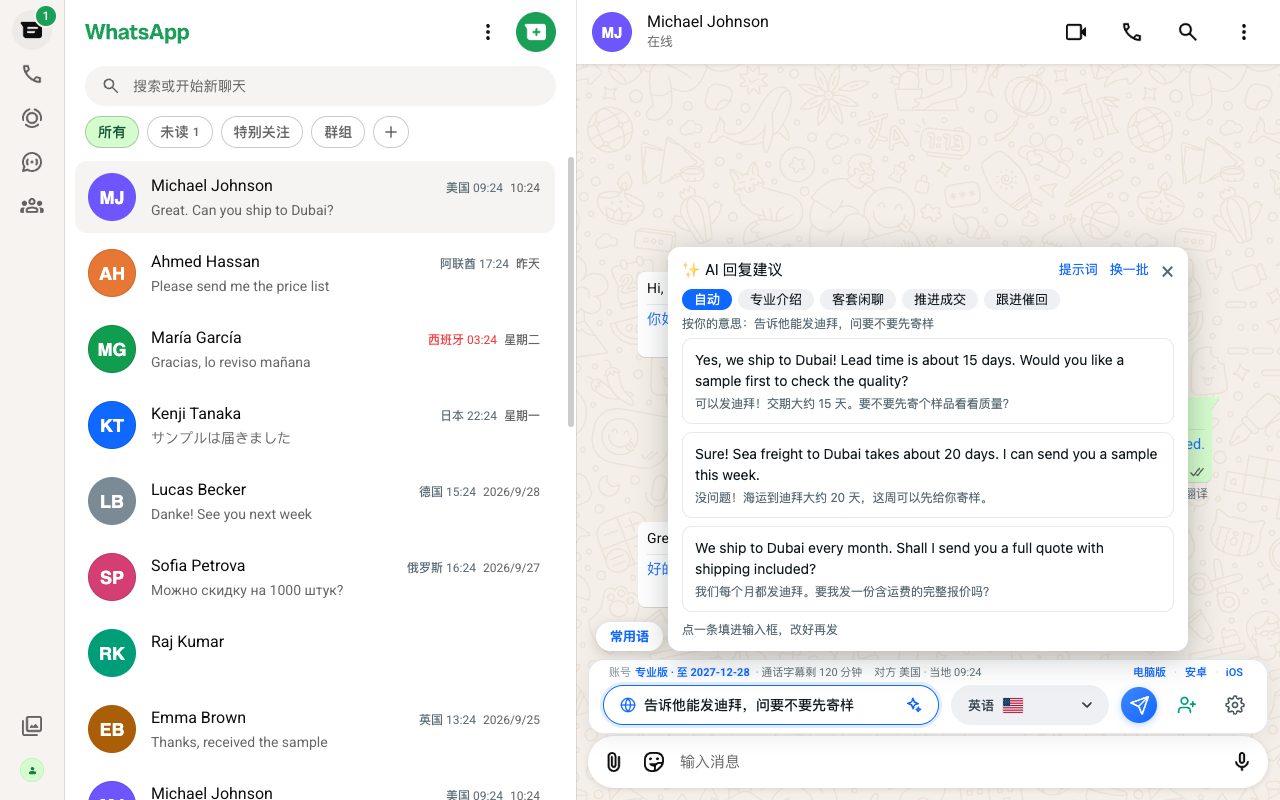
AI reply suggestions PRO
Not sure how to reply? Tap ✨ and AI reads the recent chat and suggests 3 natural replies, each with its meaning in Chinese — one tap fills the input box. Or jot down the gist in Chinese and let AI turn it into polished, appropriate wording in their language.
- Choose a style: professional intro, friendly small talk, closing the deal, or a gentle follow-up
- Built-in templates for many industries — add your company and products so replies sound like you
- Suggestions only fill the input box and are never sent automatically — you check, then send
- A Pro feature — new users can try it during the free trial
Calls: speak Chinese, your customer hears their language
Call customers directly even if you can't follow or speak their language. Place a WhatsApp call in WA Xiaoyi and what they say appears as Chinese captions; turn on voice interpreting and when you speak Chinese, they hear their own language.
- In-app calling: place and answer WhatsApp calls right in WA Xiaoyi without switching apps; incoming calls wake the screen so you can answer from the lock screen Android
- Call captions: “Me” and “Them” are clearly labelled, with the original next to the Chinese — a bad line or an unfamiliar accent is no problem
- Captions also work for WhatsApp calls in the desktop app and browser extension — drag, resize and adjust the font size of the caption box
- Call minutes: 10 every 30 days on Basic, 30 on Pro — top up with call-minute packs anytime
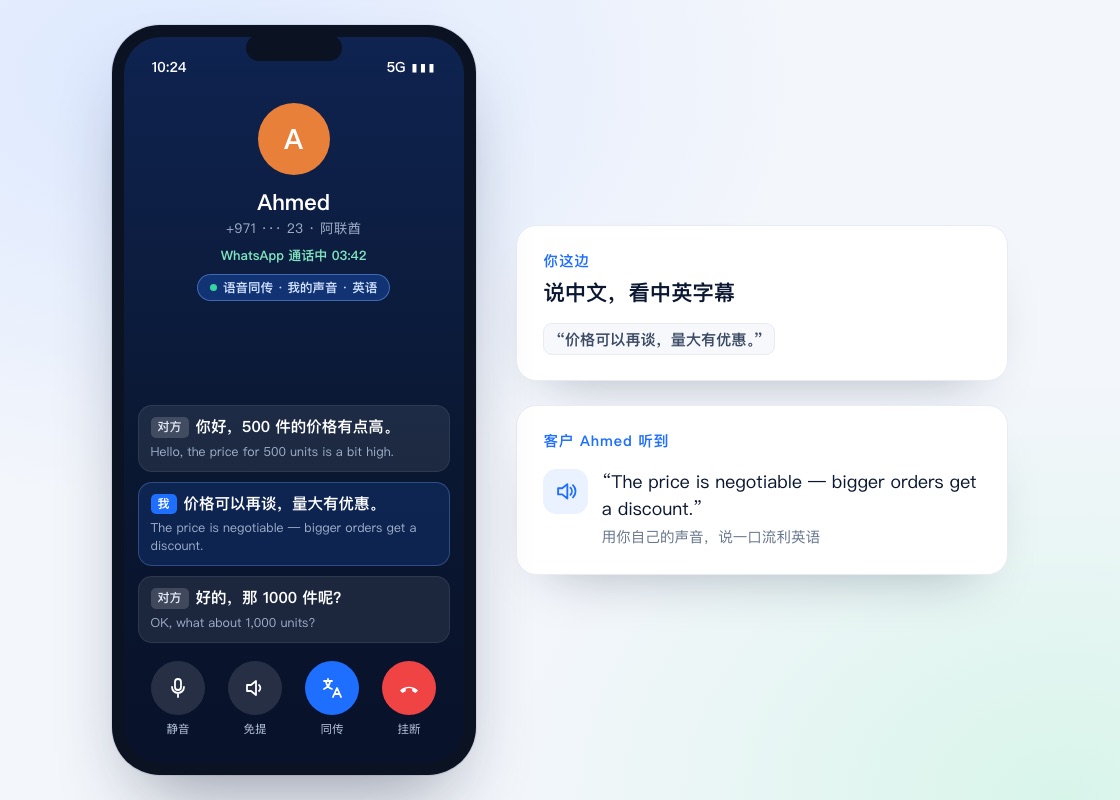
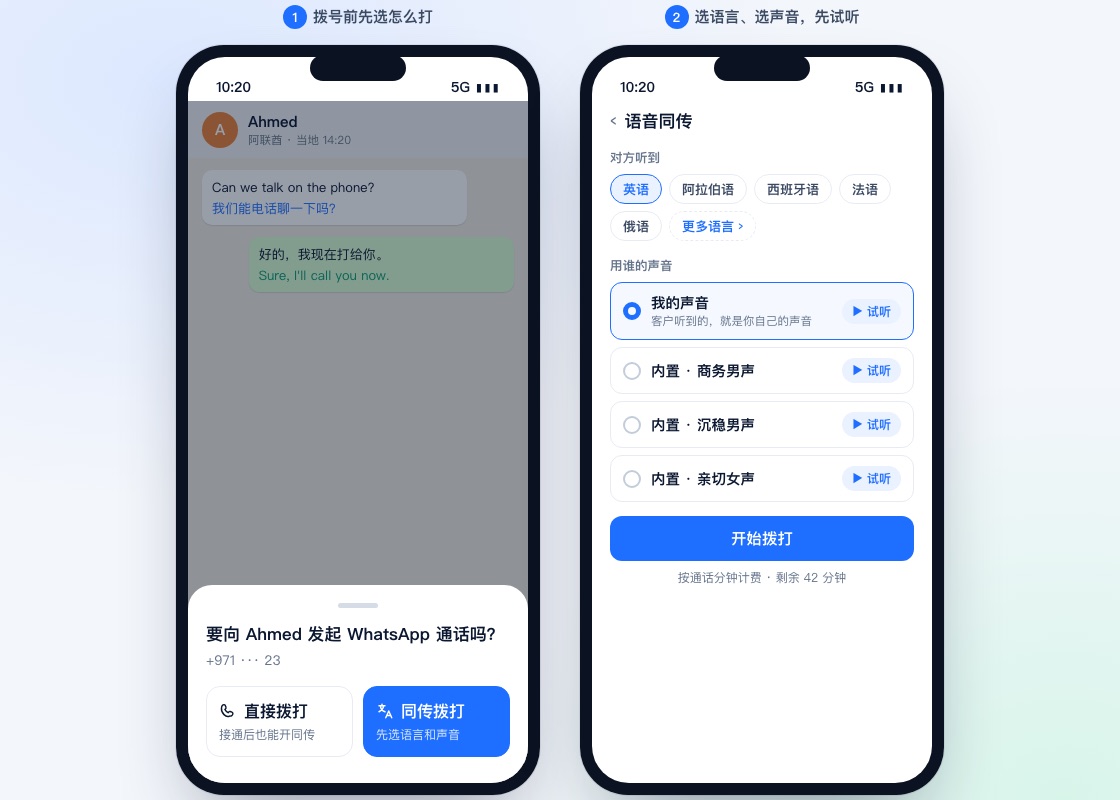
Live voice interpreting Android · Desktop
You speak Chinese, your customer hears their language — even in your own voice. Choose their language and the voice before you call, and start talking as soon as they pick up.
- Before dialling, choose “Call directly” or “Call with interpreting” — you can still switch interpreting on mid-call
- Pick a voice: choose from several built-in voices, or record a short sample of your own so customers hear you
- Preview the voice before you dial, and call once you're happy
- Works with English, Japanese, Korean, Spanish, Arabic, Russian and other major trade languages
- Billed by call minutes — shares your plan's call minutes and call-minute packs with call captions
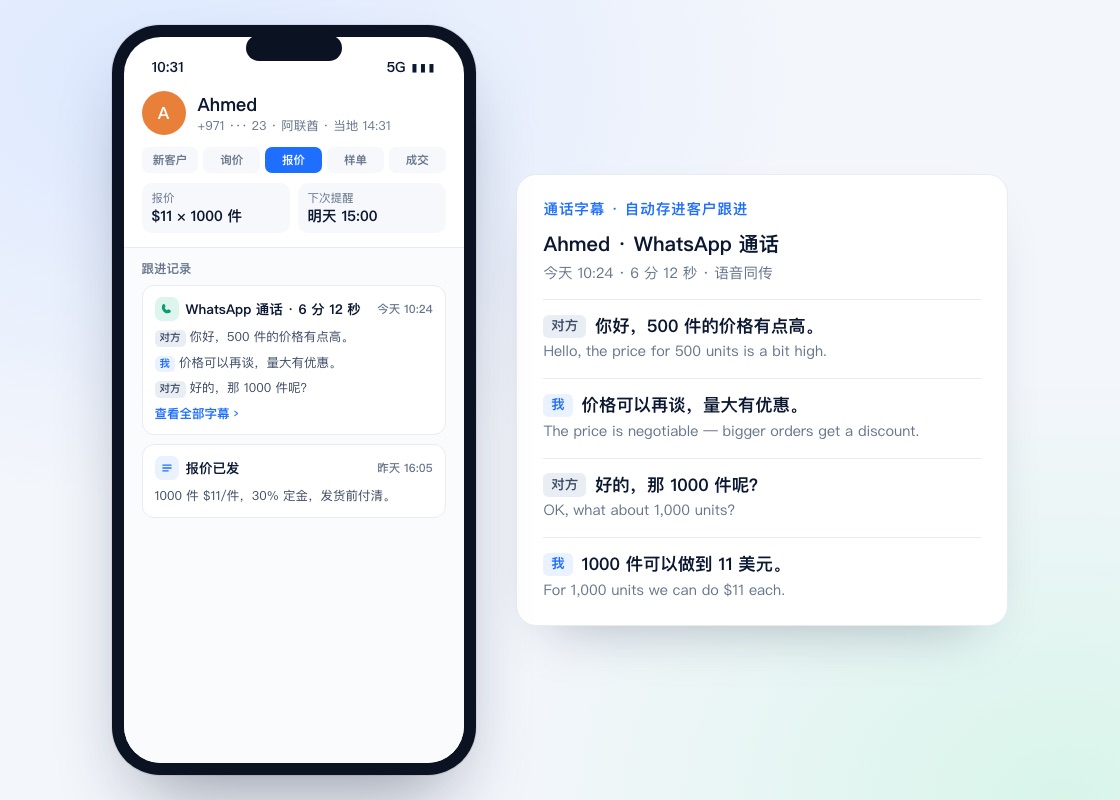
Calls saved to customer follow-up automatically
Hang up and the call's captions are saved to that customer's follow-up record: when you called, how long you talked and what both sides said, in the original and in Chinese — so no quote detail slips your mind.
- One entry per call — open it to see all the captions
- Kept alongside stages, quotes and reminders, so you see where every customer stands at a glance
- Visible only to you — on your phone and computer when signed in to the same account
Customer follow-up
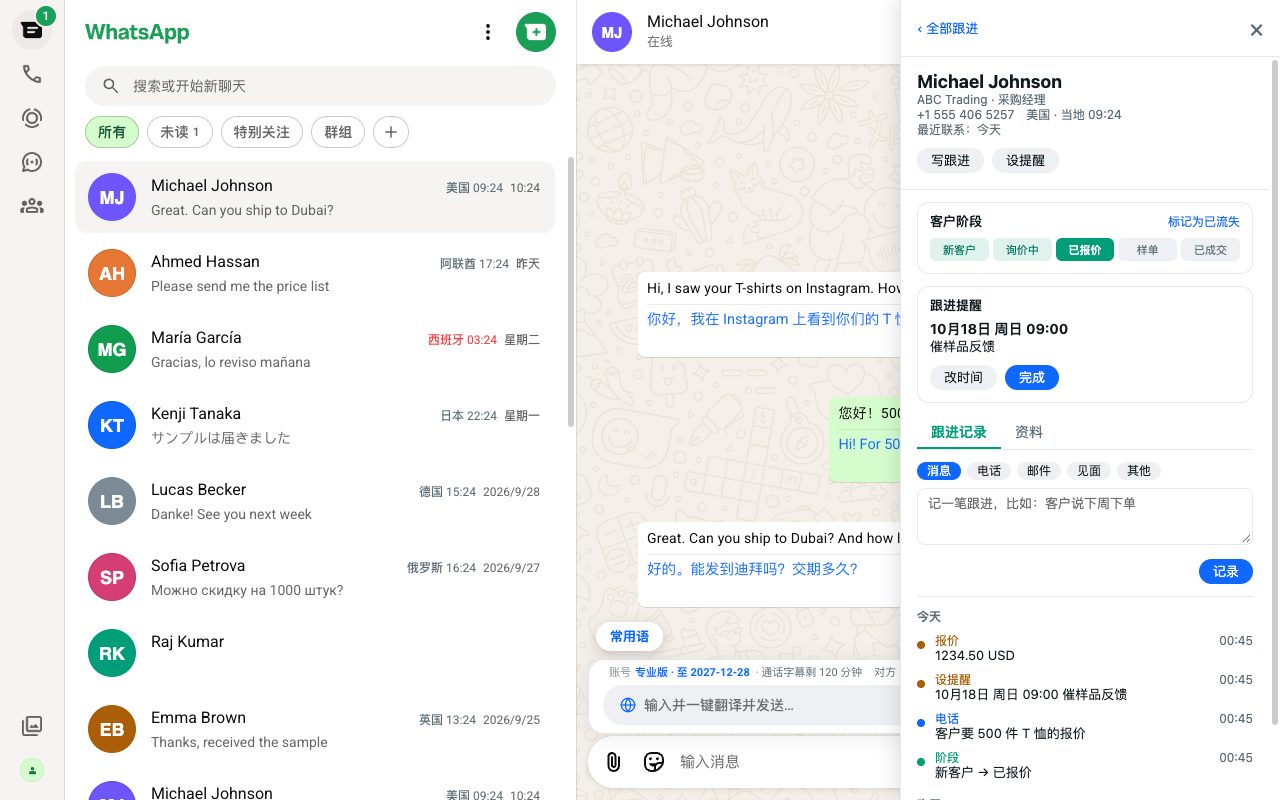
Every chat comes with a customer profile beside it: stage, quotes, notes and the next reminder, so you know exactly where things stand. Reminders pop up right on time — no customer slips through the cracks.
- New lead → Inquiry → Quote → Sample order → Deal — change stages in one click
- Log quote amounts, notes, and calls / emails / meetings
- Set reminders that pop up on time; phone and computer share the same customer data
Add contacts
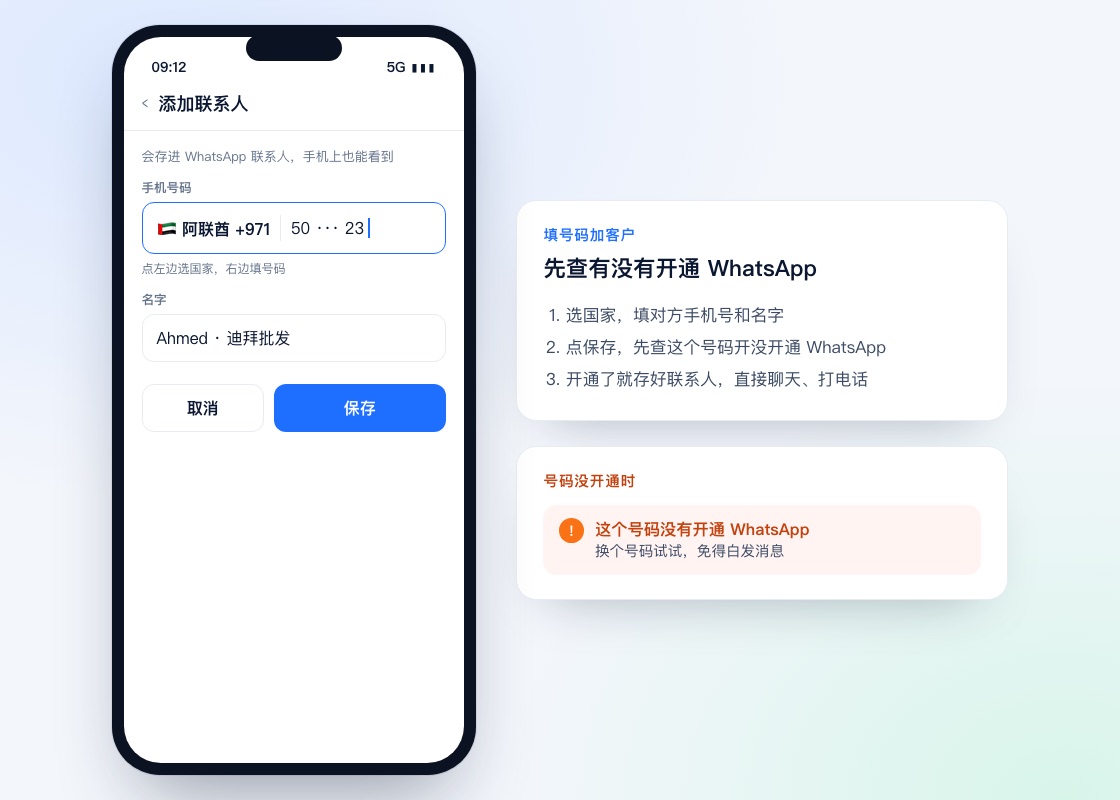
Got a customer's phone number? Add them right in WA Xiaoyi: pick the country, enter the number and name, and tap Save. We check first whether the number is on WhatsApp and tell you if it isn't, so you never message into the void.
- Pick the country on the left and type the number on the right — or paste the full number starting with + and the country code
- Saved to your WhatsApp contacts, so it shows up on your phone too
- Don't want to save a contact? Use “Message a number” to start chatting right away
Contact's country & local time
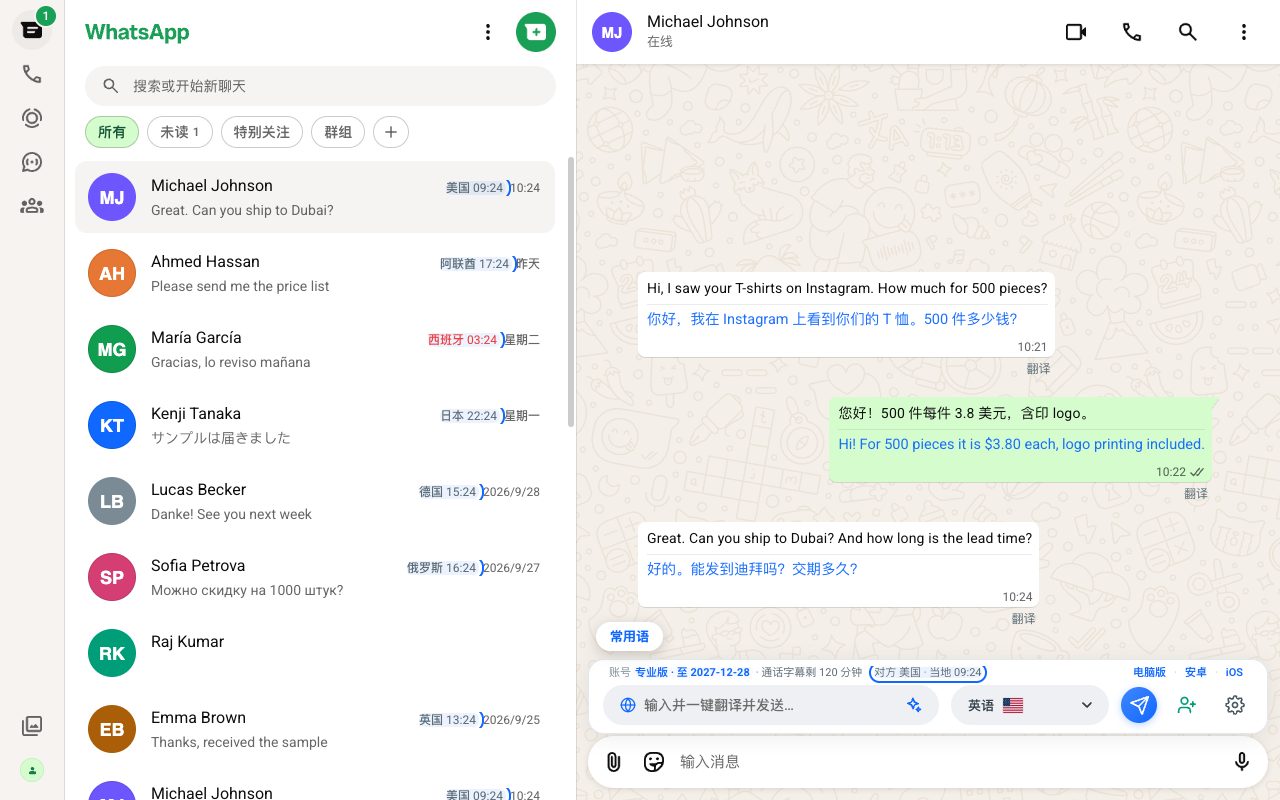
Each contact's country and local time are shown in the chat list and above the input box. See at a glance whether it's the middle of the night or office hours, and message or call at the right time.
- Country and local time shown automatically from the phone number
- Late-night hours are highlighted in red, so you don't disturb customers
- Available on computer and phone
Voice message translation PRO
Customers love voice notes? One tap turns a foreign-language voice message into text and translates it into Chinese. Even long messages make sense in seconds — no replaying, no guessing.
- Voice to text in one tap, with the original wording clearly shown
- Text translated into Chinese automatically
- Long voice notes work too — never miss important details
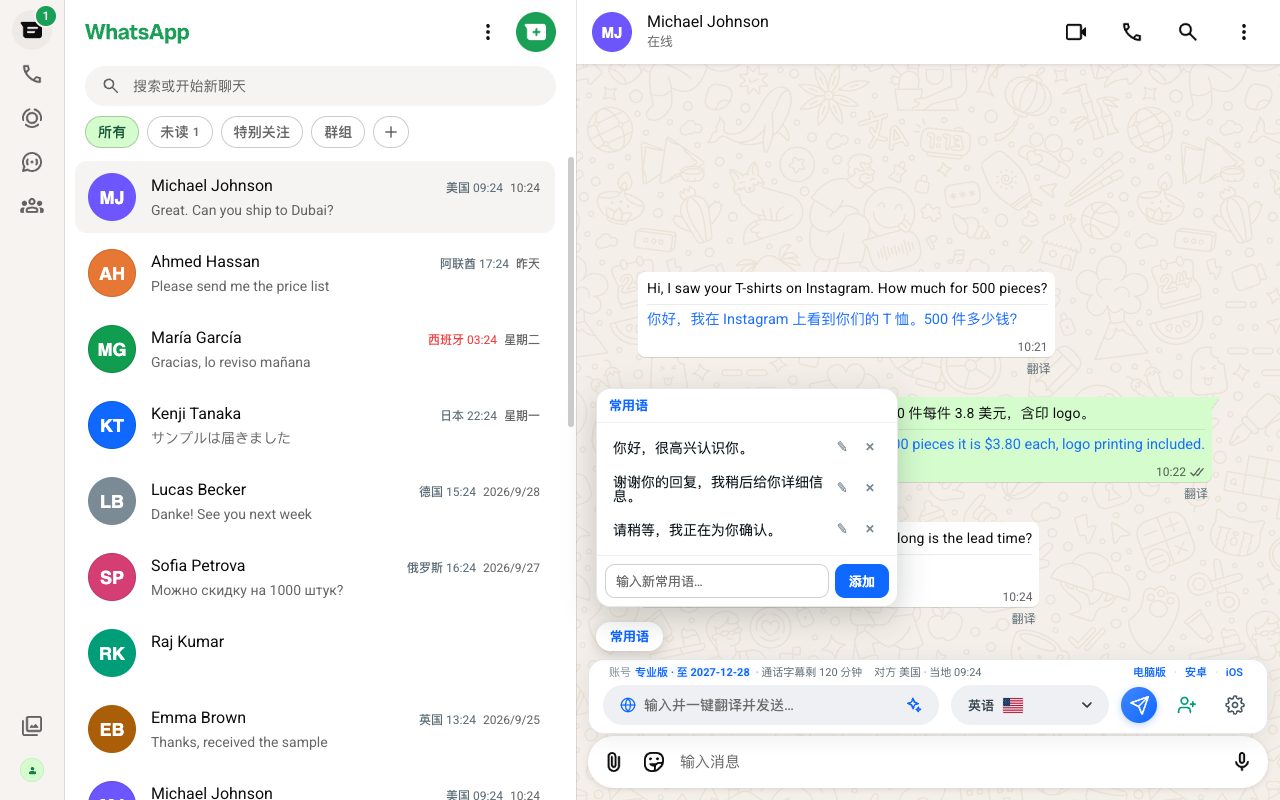
Saved quick replies
The things you say every day — quotes, shipping, after-sales — save them once and use them everywhere. They sync to all your devices, ready to send in one tap.
- Save replies one by one and insert any of them in one tap
- Synced everywhere: extension, phone and desktop share one reply library
- Paired with auto translation, your Chinese replies go out in their language
Premium translation PRO
Standard translation is plenty for everyday chats. Upgrade to Pro to switch on premium translation, which handles industry terms and long sentences more naturally — for negotiations that matter.
- Basic includes several translation options
- Pro unlocks premium translation: a more natural tone and more precise terms
- Choose the translation option per chat
50 languages
Covers the languages of every major trade market, with a target language per chat — customers in Southeast Asia, the Middle East, Europe and the Americas, all online at once, without the mix-ups.
- A language per chat keeps customers from different countries separate
- The chat list shows each contact's country and local time
- Whatever language a message arrives in, you read it in Chinese
Synced across devices
Browser extension, Android, iOS, Windows and macOS all share one account. Your plan benefits, saved replies and customer follow-up sync automatically — use your computer at the office and your phone on the go, seamlessly.
- One account on five platforms — pay for your plan only once
- Saved replies, customer follow-up and call captions sync across devices, ready the moment you switch
- Your chat history always stays in your own WhatsApp
Install it and see for yourself
New users get a free trial. Not for you? Uninstall anytime.